Part of the Oxford Instruments Group
Expand

AZtec - Free Upgrade to Suite 6.3

For the first time, AZtec users will have the opportunity to upgrade their software free of charge. With new export functionality, phase analysis, selection tools, and enhanced detector safety, AZtec-equipped researchers can take advantage of the latest data acquisition, processing, and reporting capabilities.

Upgrade today to get the most out of your EDS, EBSD, BEX, and RISE systems.

AZtecLive Brochure Free Upgrade Now

Batch Export & HTML Project Report

RISE Navigator

Magic Wand Area Selection

New AutoPhaseMap

AZtec - Free Upgrade to Suite 6.3

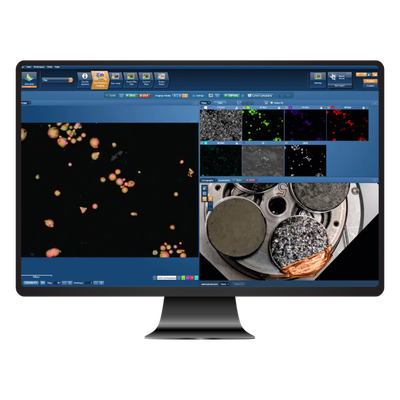
Live Chemical Imaging

Live Chemical Imaging combined with Enhanced Sample Navigation delivers an instantaneous and moving analysis experience for all users. The new Live Chemical Imaging functionality combined with Ultim large area detectors gives you the capability to investigate your samples far quicker and with greater confidence than ever before.


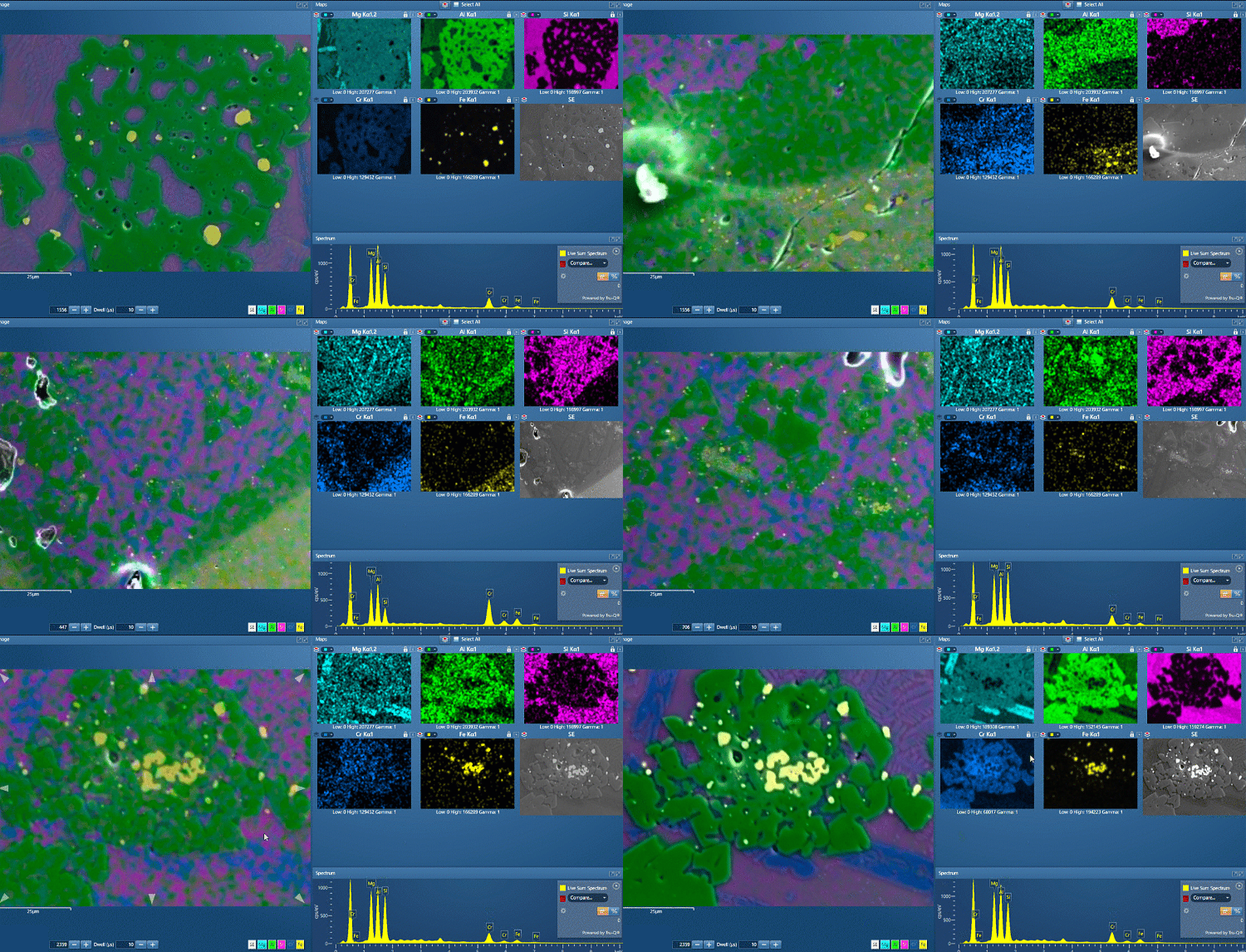
Investigation of experimental slag samples

Investigation of experimental slag samples: AZtecLive enables quick and comprehensive investigation of a sample with real-time chemical feedback via the AZtecLive interface

Slags are studied for many reasons including the study of historical metal manufacture and the optimisation of current metal manufacturing processes. The phases and the compositions of the phases may be important in any study. In the example the presence of spinels of differing chemistry are highlighted in real-time. As we move around the sample we can see various Cr-spinels, and some Al spinels with Fe inclusions.


Rapid contamination detection

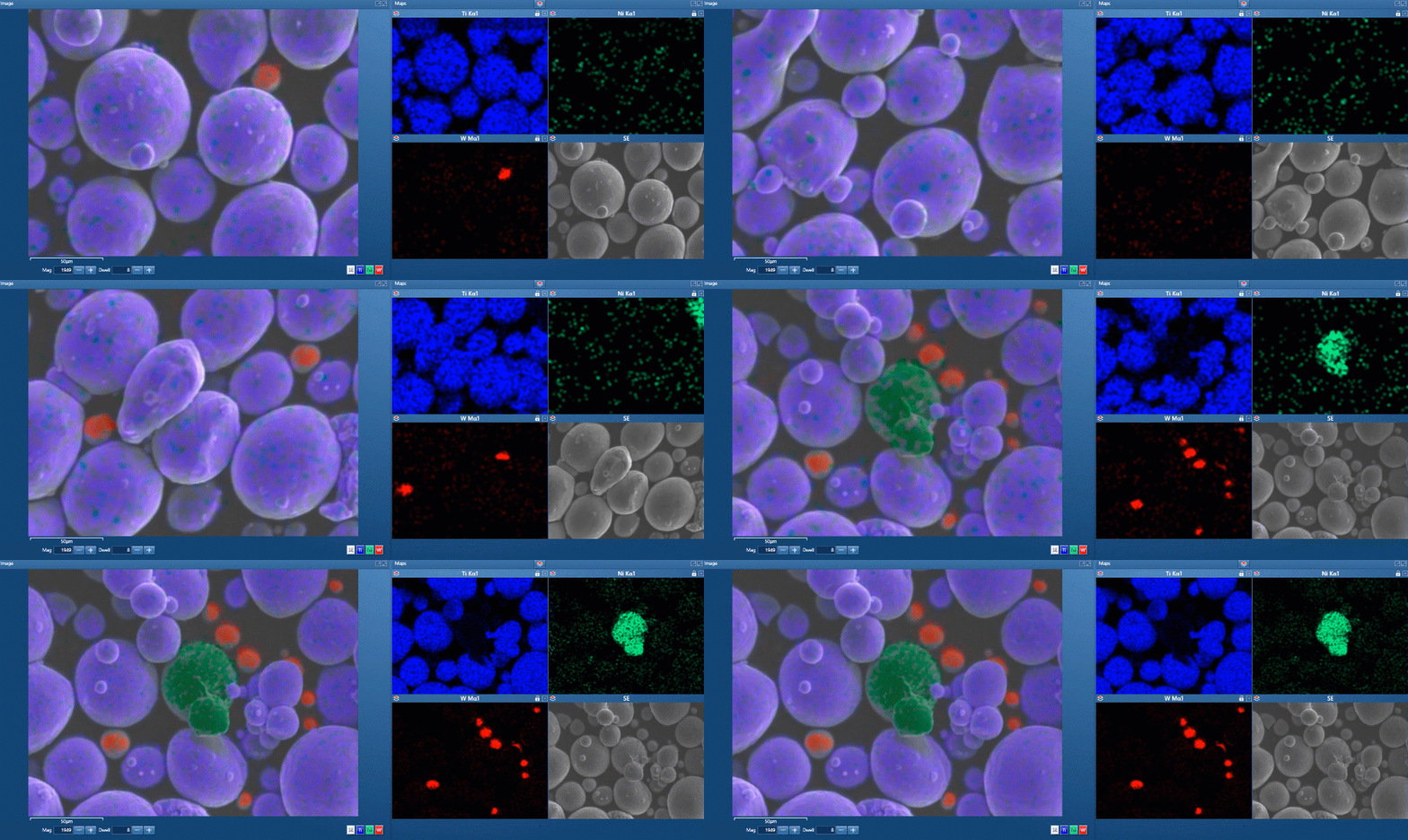
Ti6Al4V titanium alloy is shown here in fine powder form. This light alloy offers excellent mechanical strength, corrosion resistance, low specific weight, and biocompatibility. These properties make it well suited for high‑performance engineering applications such as aerospace and motor racing, as well as for manufacturing biomedical implants.

High‑quality 3D‑printed metals require ultra‑pure (>99.9%) powders, yet inspecting them is complex as contaminants may appear in only trace concentrations. The video shows Live Chemical Imaging used to find a distribution of small tungsten particle contamination from another powder, and further analysis also reveals a few nickel‑superalloy particles.


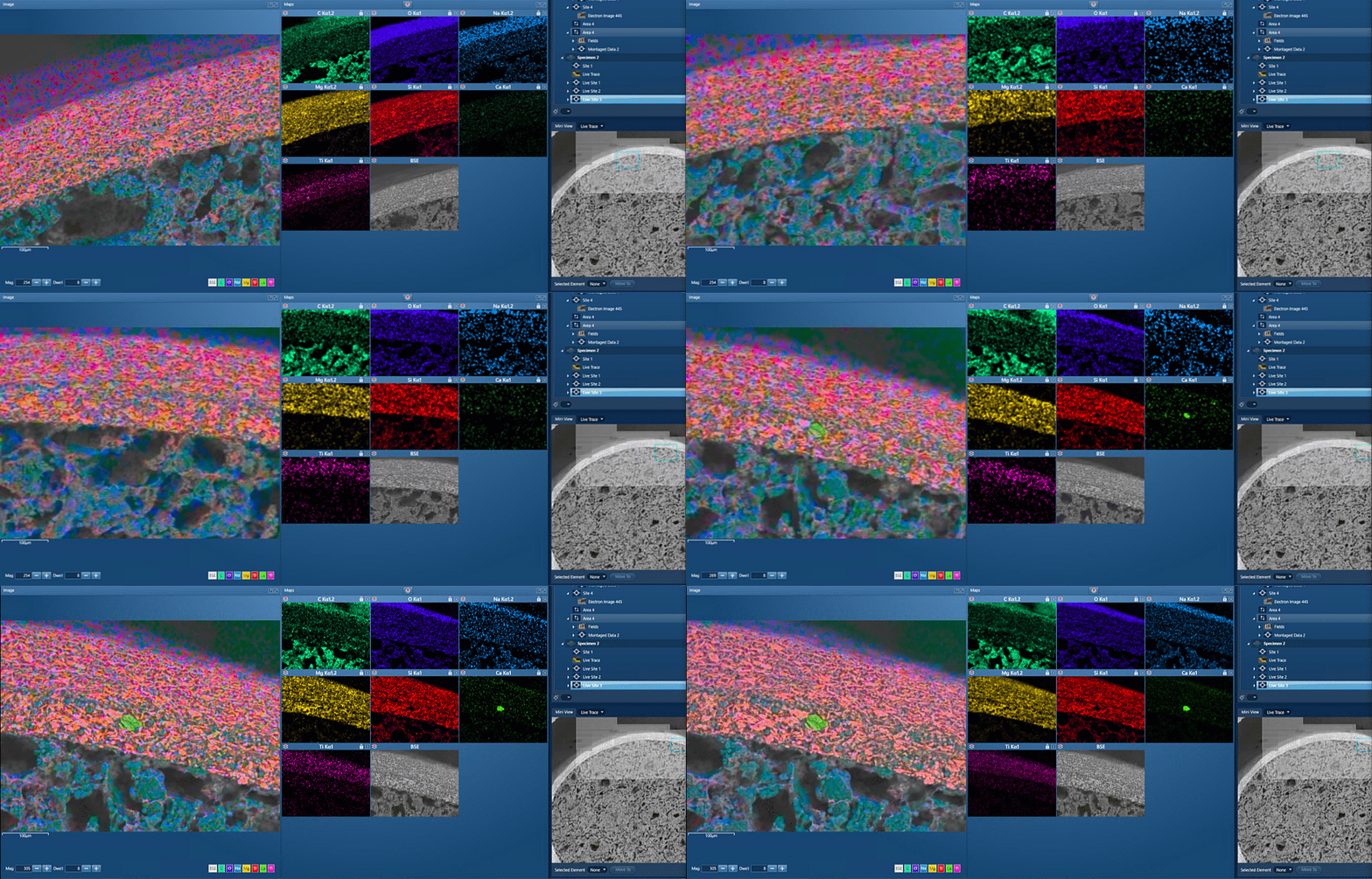
Examination of a pharmaceutical tablet

Foreign body identification in products is the most common application. Whether it’s from the raw materials or the production process; Tracing the contamination back to source is key to preventing future occurrences. This contamination can cause the product to fail or in the worst case, cause harm to the consumer. 

In the example below, an initial investigation was carried out using AZtecLive Chemical Imaging to get a quick overview of the tablet structure and composition. Then a more detailed analysis was carried out using spectrum compare and then X-Ray mapping.


Investigating a printed circuit board

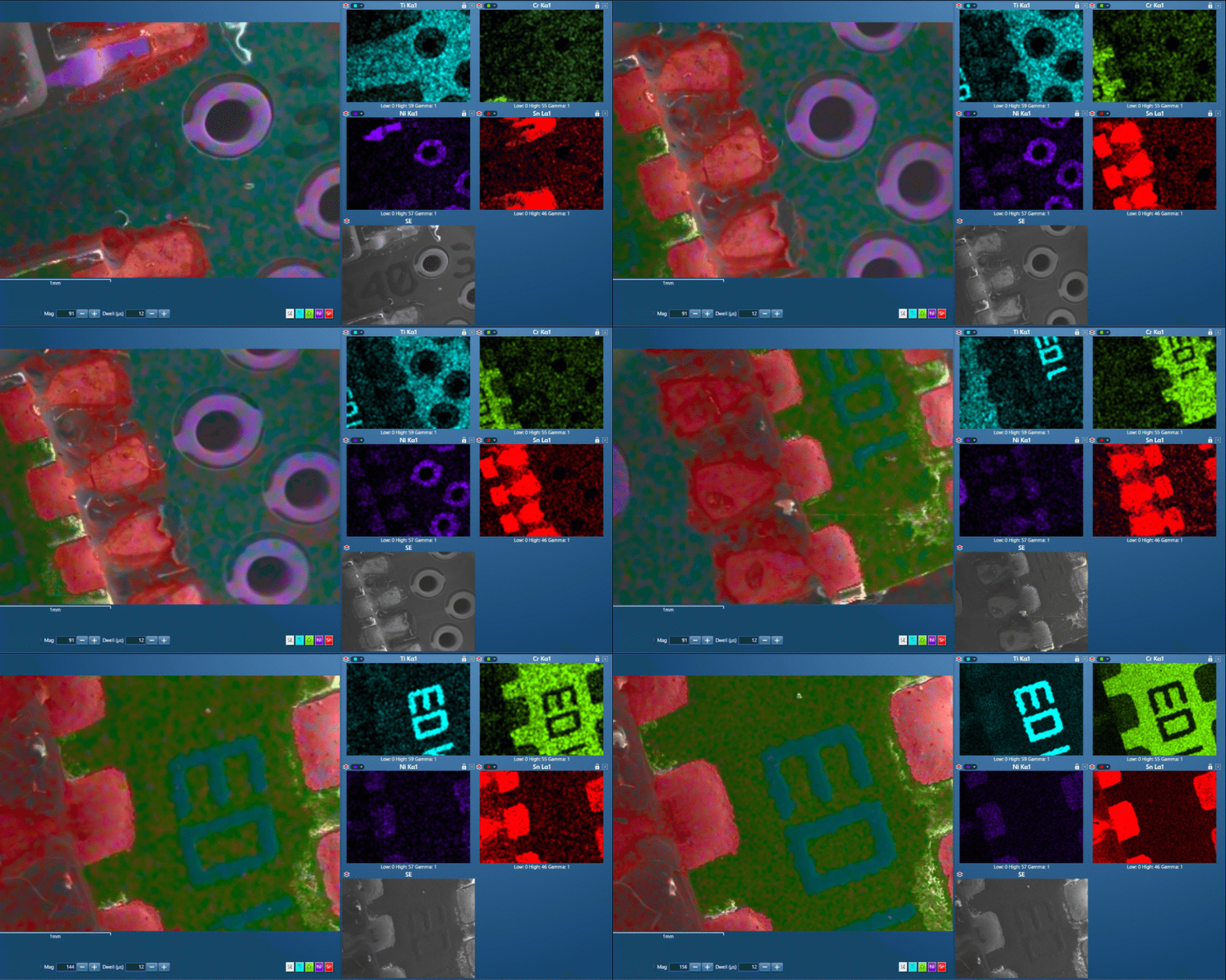
Normally, optical microscopy is used to inspect failures in PCB to document where the defects are located. This can be a poor solder joint, cracks, or contamination from the production process. 

Marking these defects on the optical image and importing into AZtecLive allows a quick relocation to these areas for detailed examination with SEM-EDS, where the source of contamination can be identified.

EDS Mapping

Combining and overlaying EDS Element maps on an electron image to make one informative coloured image is fast becoming a common way to view the distribution of elements in a specimen. But it’s important to know that the data behind this good-looking image is correct.

Layered image gives complete picture of composition and phase distribution.

SmartMap spectral mapping brings the benefits of automatic qualitative analysis into two dimensions to identify elements and show their distributions. Now see how all elements are distributed in a specimen

  • No specimen pre-knowledge required
  • Maps for all elements identified and generated automatically
  • Single Layered Image highlights chemistry and phase distribution in seconds
  • Up to 4K SmartMap resolution to combine wide area and high-resolution studies

At the click of a button, AutoLayer takes the often complex information contained in a set of X-ray maps and turns it into a single image that helps you visualise both phase and element distribution in your specimen.

  • Instantly and automatically interprets your specimen
  • Highlights what’s important in a single image
  • Unravels the complexity of real specimens
  • Colours on the Layered Image correlate to the X-ray map colours

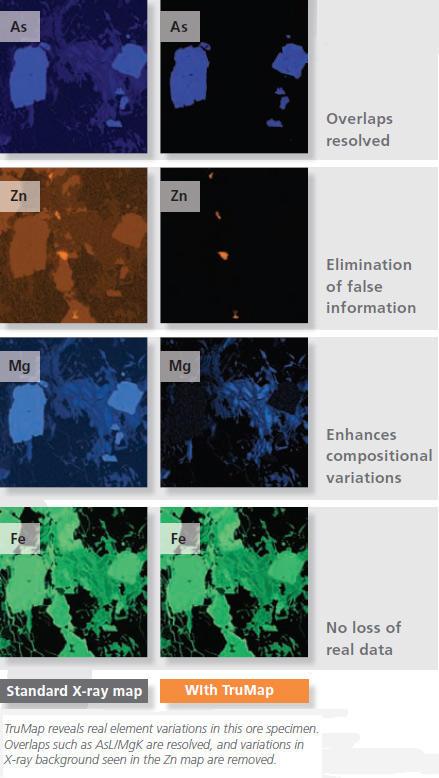
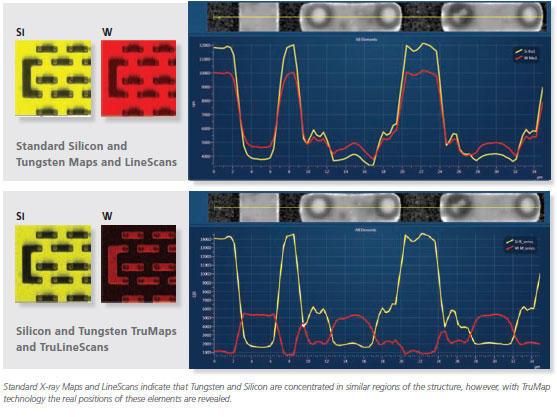
TruMap is a unique real-time mapping solution that takes advantage of the increased counts generated by the latest SDD detectors, offering a new level of data integrity......now you can see the real element variation.

  • Eliminates artefacts
  • Corrects element overlaps
  • Removes false variations due to X-ray background
  • Everything operates in real-time
Map sum spectrum

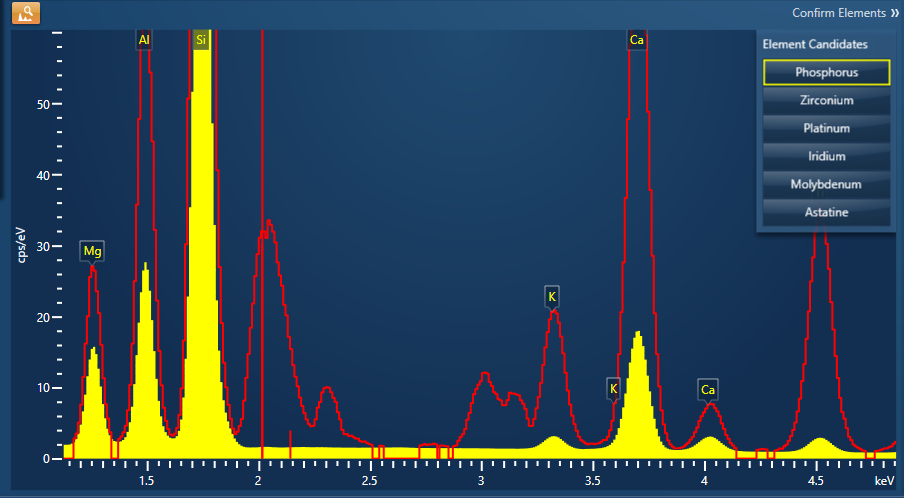
Spectrum Examiner enables small phases to be detected that would otherwise be overlooked

  • Automatically analyses a SmartMap
  • Highlights interesting energy regions in the sum spectrum where there is a significant variation in pixel counts.
  • A guided setup wizard streamlines configuration, enabling reliable Large Area Map acquisition for all users.
  • Supports tilted specimens to maintain consistent focus across the imaging plane.
  • Automatically aligns images during acquisition to produce seamless, distortion‑free LAM datasets.
  • Captures up to 1500 fields at 8K × 8K and X‑ray maps at 4K × 4K, generating datasets up to 96 and 24 billion pixels, respectively.
  • Enables full interactivity during acquisition, allowing real‑time navigation and inspection of combined datasets.
  • Allows field‑level interrogation and X‑ray map adjustments, with global updates applied across the LAM during acquisition.

EDS Line Scan

LineScan
LineScan brings the concepts of AZtec real-time acquisition and reporting to the study of linear variations

  • Visualise LineScans clearly, quickly and easily
  • Flexible views make interpretation easy
  • View LineScans in stacked or tilted format
  • Normalise display to compare major and trace element variations easily

TruLine
Incorporates TruMap technology ensuring that you will see real element distribution

  • Corrects for peak overlaps automatically
  • Enhances real elemental differences by removing X-ray background variation
  • Aligns image and LineScan for clear visual comparison
  • Normalised intensity scales make a comparison of major and minor elements simple

QuantLine
Utilise the accuracy and repeatability of Tru-Q to see quantitative element variations

  • No need to wait for lengthy data processing....see quantitative linescans live!
  • Quantitative results are shown in Wt% or At%
  • Table of results can be exported to Excel

General

  • Point spectra can be extracted from any of the linescans for further, more detailed, analysis
  • Data can be viewed in graphic form or as a table
  • Linescans can be binned to improve statistics
Standard X-ray maps and LineScans indicate that tungsten and silicon are concentrated in similar regions of the structure

AutoPhaseMap

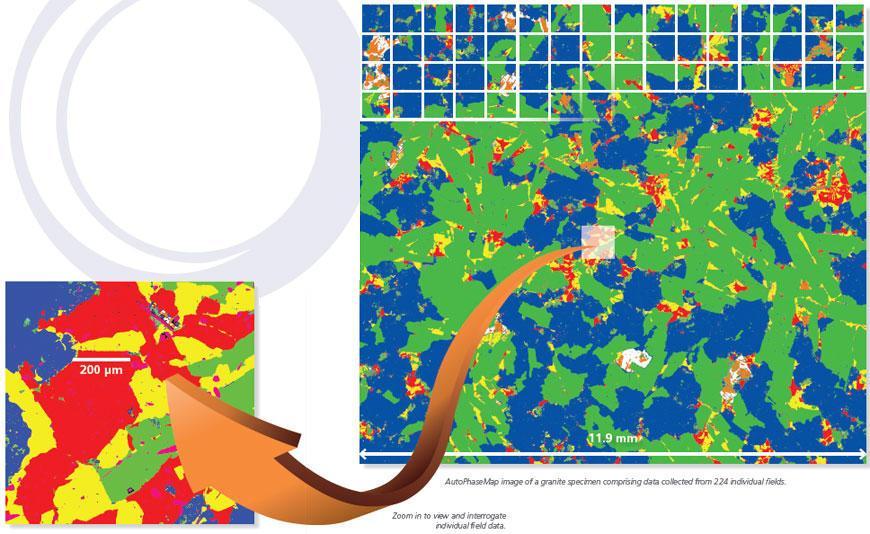
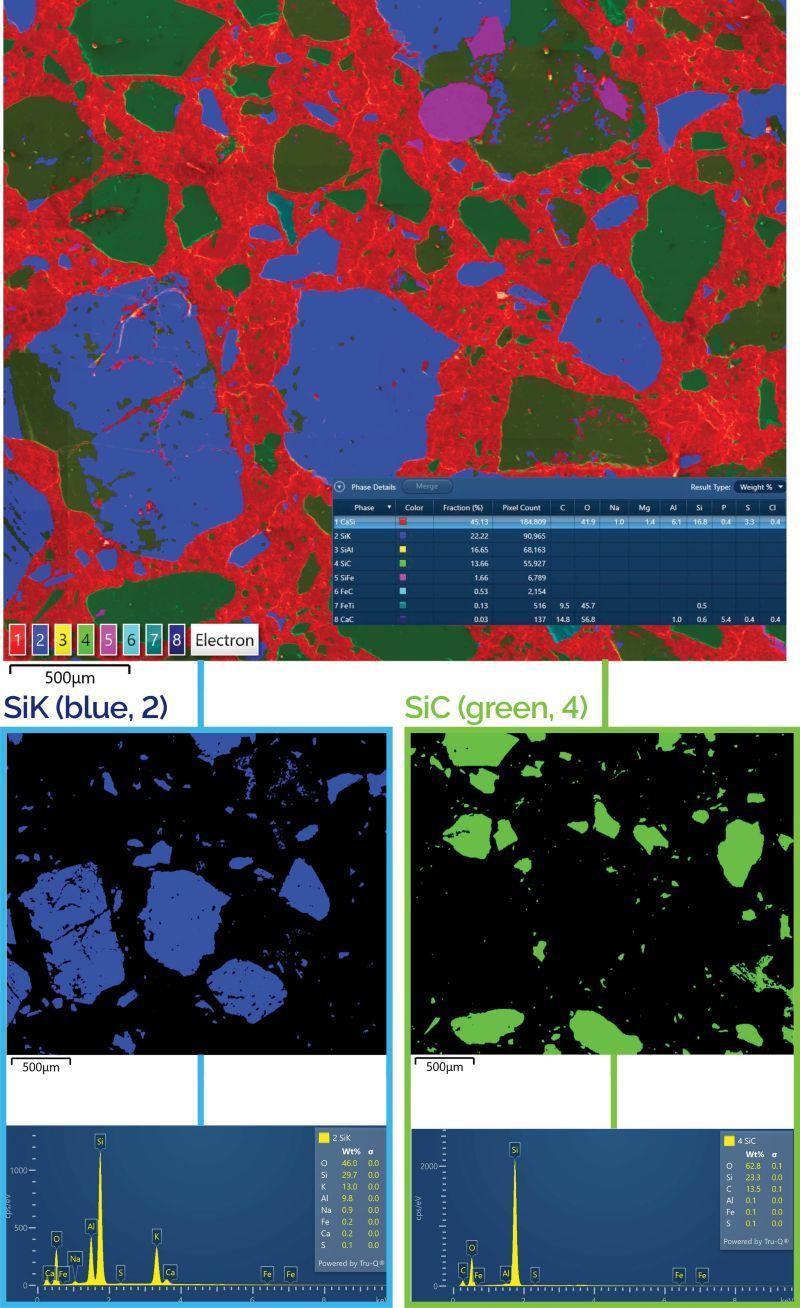
Specimen characterisation can often be time-consuming and requires a highly skilled operator to interrogate the data. At a touch of a button, AutoPhaseMap automatically finds areas of different characteristic composition from X-ray map data and determines the distribution, area, constituent elements and generates an easy to interpret phase Image.

AutoPhaseMap is a new way of automatically creating a phase distribution map of a specimen.

During or after an acquisition, AutoPhaseMap automatically:

  • Turns X-ray map data into Phase Map data in seconds
  • Calculates and displays:
    • distribution of each phase
    • spectrum and composition for each phase
    • area fraction for each phase
  • Finds phases for all size ranges, including nanomaterials
  • Finds hidden phases, highlighting missing elements which are present in trace amounts

Tailored for your Key Applications

The AZtecLive software platform combines unrivalled speed and accuracy of results for routine analysis, with the flexibility and power required for more complex applications. Includes all the tools required to help you quickly analyse and characterise your sample with confidence and ease.

AZtec’s live spectrum and quant comparison tools are ideal for quality control applications, enabling quick and accurate results, even for novice users.

Features like Spectrum Match and Spectrum Examiner empower users to analyze and identify differences between control and failed samples with ease.

Specialized applications such as AZtecFeature, AZtecSteel, and AZtecClean support industrial users in improving existing products or developing innovative solutions.

Advanced tools such as Live Chemical Imaging, Large Area Mapping, AutoPhaseMap, and LayerProbe provide academic researchers with the capabilities needed to conduct cutting-edge research.

Customer Publications

Discover More with our Product Range

Ultim Max Infinity

Ultim Max Infinity

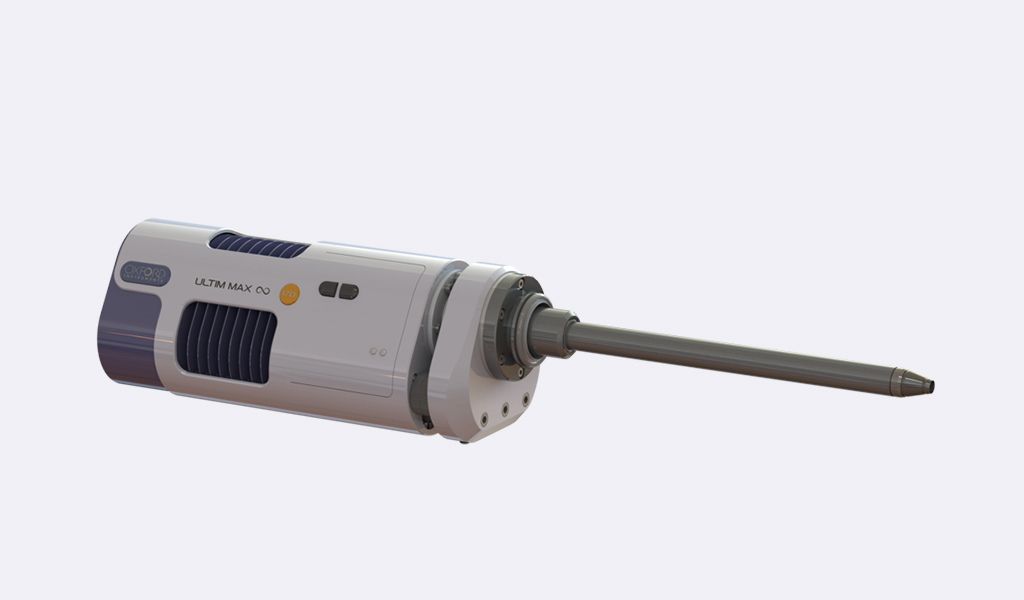
Ultim Max Infinity SDD detectors unlock the infinite potential of EDS - including the world's largest area SDD at 170 mm2, and guaranteed Carbon resolution of 46eV or better for all sensor sizes.

CMOS EBSD Detectors

CMOS EBSD Detectors

Our CMOS range of detectors all deliver exceptional performance for every type of EBSD analysis. They combine unparalleled sensitivity with excellent analysis speeds, ensuring optimum data quality from any sample and condition.

Raman-SEM Microscopes

Raman-SEM Microscopes

RISE Microscopy is a novel correlative microscopy technique that combines SEM and confocal Raman Imaging. Through RISE Microscopy ultra-structural surface properties can be linked to molecular compound information.